The principles connecting the experiments. A starting point for discussing the architecture, inspecting a project, and deciding what fits.
01 / DEVBRIDGE
Deploy what the organization knows.
Reference architectures, review rubrics, domain knowledge, prompts, and working examples are development assets. The DevBridge direction is to collect that knowledge, structure it into reusable capabilities, version it, review it, and deliver it where developers work.
The integration surfaces are the IDE, CLI, repository, and CI workflow. The point is continuity: the organization’s knowledge should outlast a change of model or tool.
A capability-based call describes the intent: Run("UserStory_AddOrUpdateQuality", request). A catalog can then resolve the instruction version and implementation rather than embedding those choices in every calling application.
The example below shows how two catalog versions can resolve the same request differently. It runs locally in the browser; it illustrates the architecture without invoking Fabric or an AI provider.
● ● ●ILLUSTRATIVE CAPABILITY RESOLUTION
// The intent stays the same.
Run(
  "UserStory_AddOrUpdateQuality",
  request
)
Choose a version and destination. Resolve to inspect the example package.
Browser-local explanation. No AI provider is called and no input is sent.
The EDO project uses informative error messages to guide multi-step agent work. Step files track progress from 0 to 100. The runner finds an incomplete step, communicates the instructions, and validates completion when it runs again.
If a later review uncovers a problem in earlier work, a previous step can return below 100. The runner detects that regression and revisits the step. A master log captures work, decisions, and the reasons for revisiting it.
That creates an inspectable loop: instruction → work → validation → review → next step or regression. Completion comes from the workflow’s checks.
The DNF suite sits alongside project scaffolding, module scaffolding, and abcsharp utilities in the DevBridge ecosystem. DNF’s project documentation includes Aspire configuration, identity, background tasks, and application surfaces.
The right starting point depends on the existing codebase and the problem. A walkthrough can establish the current scope of each project, the pieces to adopt, and what integration work remains.
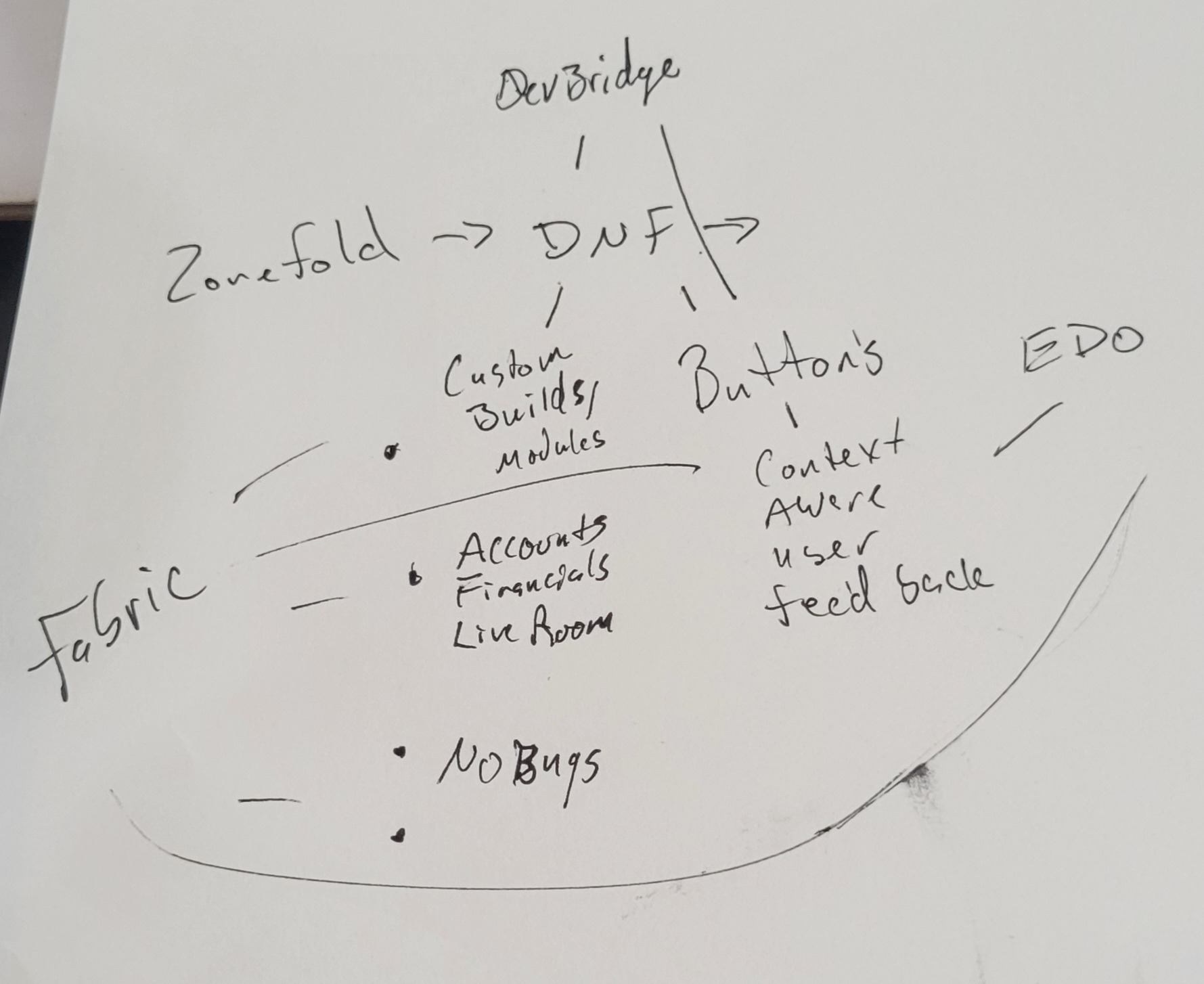
Original sketch retained in the Alloc ecosystem source atlas. An architecture idea and a record of the thinking; it is not evidence that every connection is implemented.
The current collection brings together retained implementations, bounded engineering proofs, and future directions. That history matters: a sketch shows intent, a project shows implementation, and validation establishes what currently works.
CONTINUE THE CONVERSATION
Bring an actual workflow.
Show us the recurring work, the repeated decisions, or the application you are trying to build. That is the best place to connect these ideas to something concrete.